
Understanding Two-Factor Authentication and Why It’s Essential for Crypto Safety
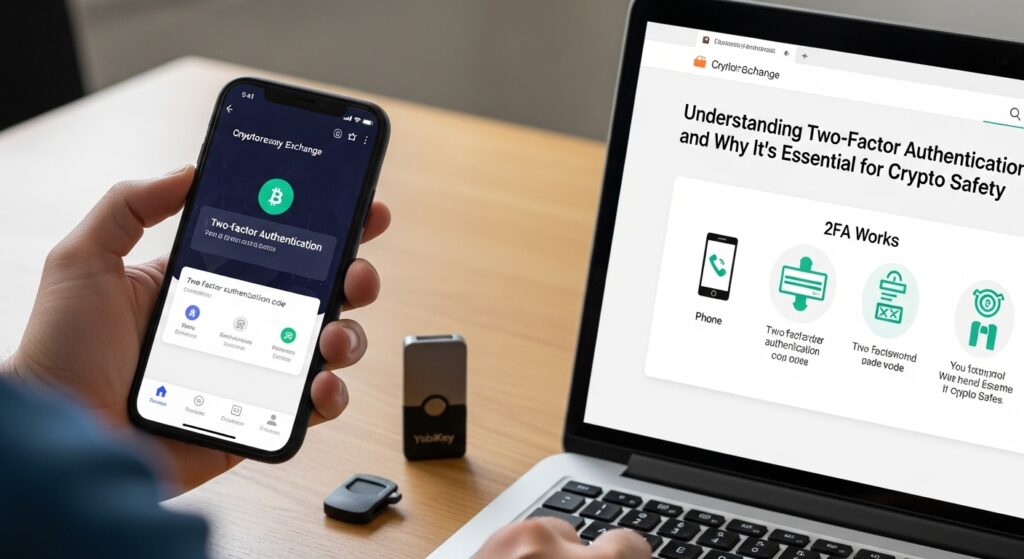
If you’re diving into the world of cryptocurrency, then you already know the stakes are high—not just in potential returns but also in security risks. Crypto wallets and exchange accounts are irresistible targets for hackers, and a single slip-up could cost you dearly. This week, let’s tackle a crucial tool that can dramatically boost your safety: two-factor authentication, or 2FA. We’ll unravel what 2FA actually is, why it’s not just a nice-to-have but an essential security layer, and how you can set it up with ease to protect your digital assets.
Why Is 2FA Such a Big Deal in Crypto?
At its core, two-factor authentication acts like a double lock on your accounts. Instead of relying solely on your password (the first factor), it requires a second form of verification—something you have, like a smartphone app, or something you are, like a fingerprint. Think of it as the bouncer at the club who asks for your ID after you show your invitation. It’s an extra checkpoint that makes it far tougher for an impostor to get in, even if your password gets compromised.
When it comes to cryptocurrency, 2FA reduces the risks that come with passwords being stolen through phishing, data breaches, or simple human error. Your password is still important, but 2FA means a hacker needs something more than your credentials to access your funds—usually, something only you possess.
The Two Main Types of 2FA
Although there are several implementations of 2FA, the most common types you’ll encounter in crypto come down to two flavors:
- SMS-Based 2FA: After entering your password, you receive a one-time code via text message to your phone.
- App-Based 2FA: You use an authentication app like Google Authenticator, Authy, or Microsoft Authenticator that generates time-sensitive codes directly on your device.
Between these, app-based 2FA is generally more secure. SMS codes can be intercepted or redirected if someone manages to hijack your phone number, a growing problem known as SIM swapping. Authentication apps, on the other hand, generate codes locally, so no internet or cellular network is involved during verification.
Setting Up Two-Factor Authentication: A Guided Walkthrough
Let’s make it practical. Setting up 2FA isn’t rocket science, and once you do it for one account, it becomes second nature. Here’s a step-by-step for most crypto platforms—just double-check the specifics for your wallet or exchange.
- Access Account Security Settings: After logging into your exchange or wallet, navigate to the security or account settings section. This is where you’ll usually find “Two-Factor Authentication” or “2FA” options.
- Choose Your 2FA Method: Select an authentication app over SMS whenever possible. If you don’t have an app yet, download one from your app store (Google Authenticator and Authy are popular picks).
- Scan the QR Code or Enter Key: The website will display a QR code or a secret key. Open your authentication app, tap “Add account,” and scan the QR code or manually input the key.
- Verify the Code: Your app will generate a 6-digit code. Enter this code back on the website to confirm you’ve linked the app correctly.
- Save Backup Codes Safely: Most platforms provide recovery codes in case you lose access to your phone. Save these somewhere safe, offline, and confidential (think password manager or physical safe).
- Complete Setup: Activate 2FA, and from now on, you’ll need both your password and the generated code to log in.
Tips to Keep Your 2FA Setup Bulletproof
It’s not just about turning on 2FA but also about maintaining your security hygiene:
- Use a Password Manager: Strong, unique passwords paired with 2FA add an extra fortress layer—not just for crypto but everywhere.
- Be Wary of Phishing: No 2FA can save you if you hand over codes to fake websites or scammers. Always double-check URLs and sender info.
- Avoid SMS-Based 2FA for Critical Accounts: If possible, prefer authentication apps or hardware tokens (YubiKey, for example) to reduce SIM hijack risks.
- Keep Your Device Secure: The device running your authenticator app should have a secure lock (PIN, biometrics) and be free from malware.
- Consider using apps that support backups and encrypted cloud syncing (like Authy) so you don’t lose access if you lose your phone.
Beyond 2FA: Building a Defense-in-Depth Strategy
2FA is a foundational step toward protecting your crypto, but it’s part of a bigger picture. Other best practices include:
- Cold Wallets: Keeping the majority of your crypto funds in offline wallets untouchable by hackers.
- Regular Account Audits: Periodically reviewing your security settings and account activity.
- Educating Yourself: Staying informed about scams, exploits, and new security features in the crypto space keeps you one step ahead.
Together, these measures make your digital fortress not just strong but resilient.
Parting Thoughts
Two-factor authentication isn’t just a tech acronym or a checkbox—it’s your personal bodyguard in the bustling crypto world. Yes, it may feel like just one more step when logging in, but that quick extra verification can save you from irreversible losses. Taking the time to set up 2FA the right way is a gift to your future self, emergency-proofing your digital wealth against increasingly sophisticated threats.
So, whether you’re a seasoned trader or just kept your first bitcoin in your wallet, go ahead and make 2FA your new best friend. Next week, we’ll dive into how to spot common crypto scams and avoid falling into clever traps, so stay tuned!
Thanks for reading—and remember, secure habits today make for worry-free crypto adventures tomorrow.